Last updated 1 Nov 2026
New to Fragrantrix? Create an account, verify your email, set up your profile and get familiar with the dashboard before adding ingredients or building your first formula.
Before you start
Prepare an accessible email address, your company or lab name, your full name and a password of at least eight characters. Use a unique password.
Use the invitation link from your team administrator instead of creating a separate company account.
1. Register and verify your email
Open the Fragrantrix registration page. If you are already signed in, the app may redirect you to the dashboard.
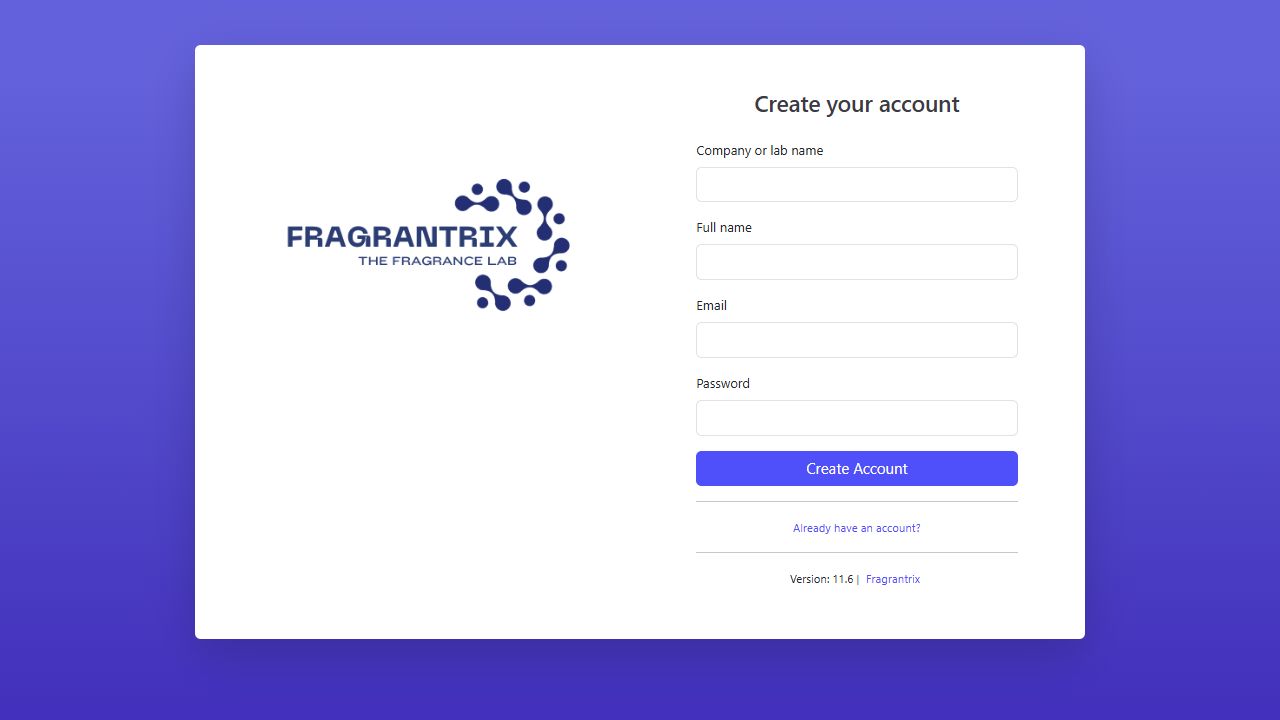
- Enter Company or lab name, Full name, Email and Password.
- Check the email address carefully and select Create Account. Complete any additional verification shown by the app.
- When asked to check your email, open the Fragrantrix verification message and follow its link.
- Select Verify Email on the verification page to finish registration.
- Go to the login page and sign in with your registered email and password.
Your email is verified and you can sign in. Complete verification before proceeding with account setup.
2. Set up your account and profile
Select your profile picture or initial near the bottom of the left sidebar, then choose Your profile. The page shows Your Profile and Edit Profile Details.
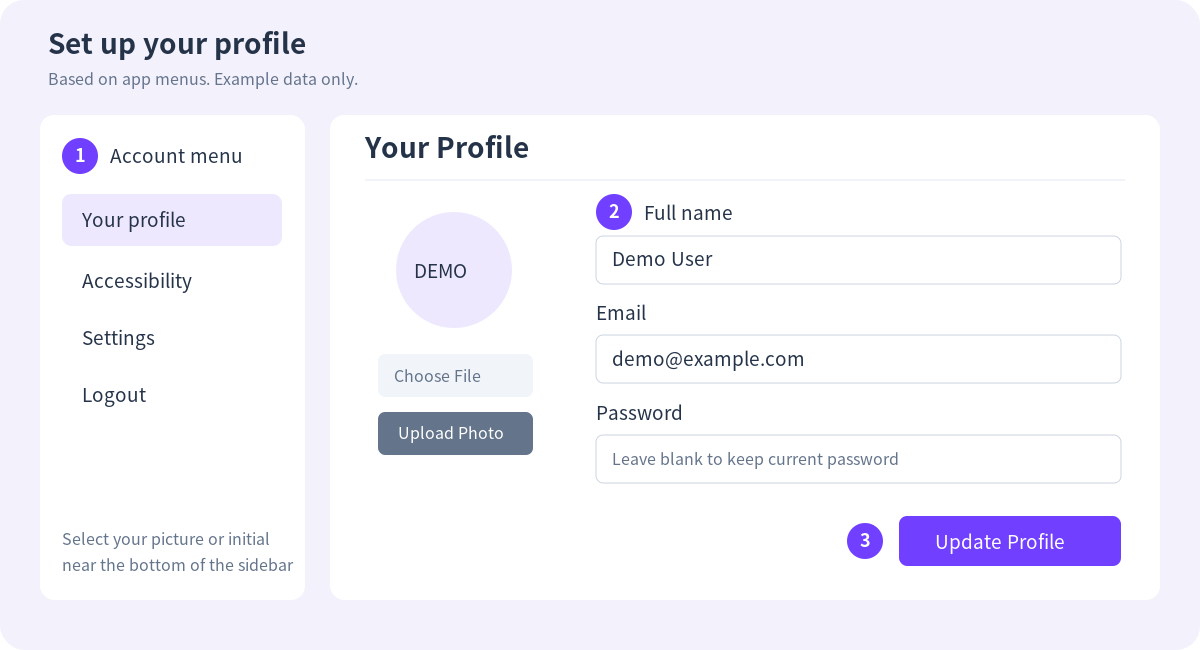
- Check Full name and Email. Review any email change carefully before saving.
- Leave Password blank to keep your current password. Check whether your browser has filled it automatically.
- Select Update Profile and wait for the result. Resolve any error shown.
To add a profile image, use Choose File under Profile Photo, select an image and then select Upload Photo. Choosing a file alone does not upload it.
Additional settings
Open the account menu and select Settings. Depending on your permissions, you may access AI Assistant preferences, Subscription details and Team Management. Review your profile first and adjust these settings when needed.
3. Explore the dashboard
Select DASHBOARD in the left sidebar to return to the overview.
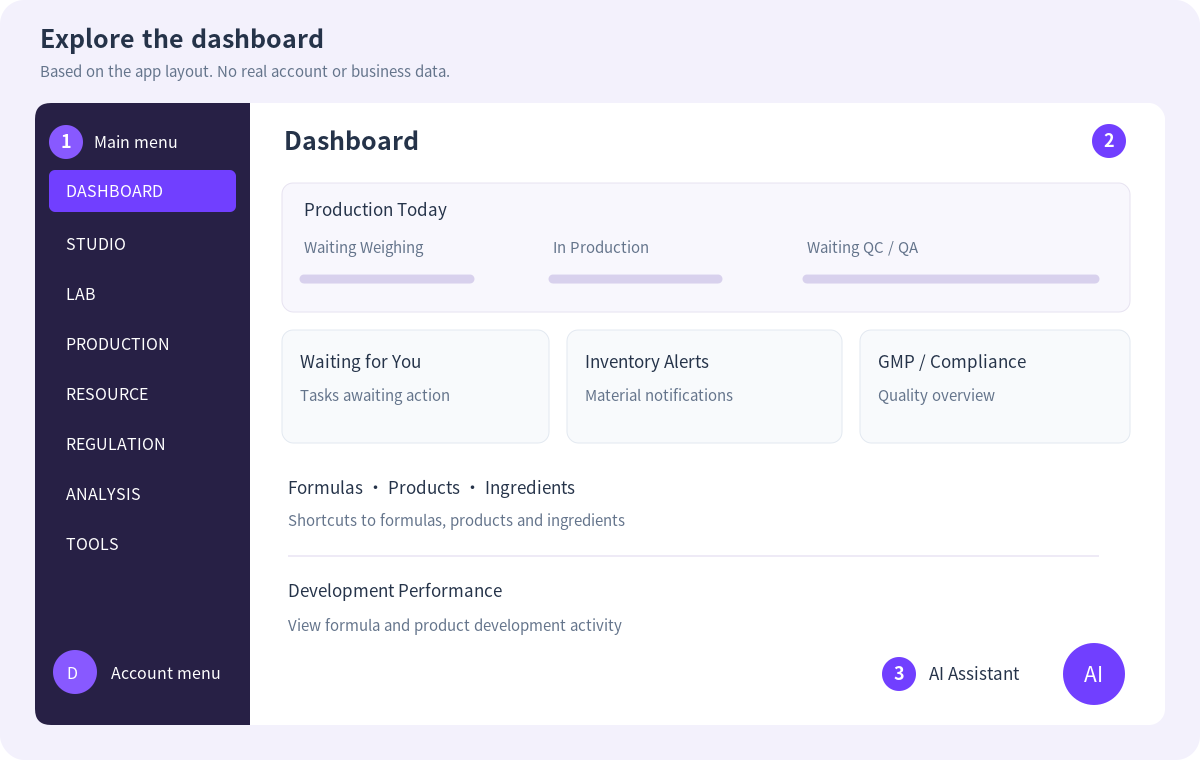
- Production Today: production states, including waiting for weighing, in production and waiting for QC or QA.
- Waiting for You: tasks awaiting your action.
- Inventory Alerts: material and stock notifications.
- GMP / Compliance: quality and compliance overview.
- Formulas, Products and Ingredients: shortcuts to key records.
- Development Performance: development activity overview.
New accounts may show zero values or no records until data is added.
Choose the right menu
- STUDIO: formula development and management.
- LAB: laboratory work and related information.
- PRODUCTION: production work and status tracking.
- RESOURCE: resources such as ingredient records.
- REGULATION: regulatory information.
- ANALYSIS / TOOLS: available analysis features and tools.
Expand a menu group to select a task. Available features depend on role, permissions and plan. The AI Assistant button is near the bottom-right corner when access is available. Your account menu includes Your profile, Settings and Logout.
Ready to begin?
- Email verified and sign-in successful.
- Profile details reviewed.
- You can return to Dashboard and open the account menu.
- You know where to find ingredients and formulas.
Suggested next steps: prepare ingredient data, add ingredients, then create a formula.
Frequently asked questions
Where is my verification email?
Check Spam and the email address you entered. If the link expires and the app offers Resend Verification Link, request another link there. Contact the operator through the contact page if the issue persists.
Why does registration take me to the dashboard?
You may already be signed in. Check your current profile before creating another account.
Should I register again to join my company?
Ask your administrator for an invitation to the existing team account.
Why are some menus missing?
Visibility depends on your role, plan and account settings. Ask your team administrator to check access.
Forgot your password?
Select Forgot Password on the login page and follow the steps using your registered email.